Kampfire
What Kampfire is all about

This is what post-event engagement looks like.

Photos are the hook. Engagement is the product. See it in real screens from real events.

New to the category? Read our guide to choosing a post-event engagement platform.

The flow

Three steps. Zero new tools for your team.

01

Connect

Plug Kampfire into your event tools - registration, CRM, photo capture. No new workflow. No new app for your team.

02

Personalize

Every attendee receives a branded album of only their moments, with captions, sponsor overlays, surveys, and CTAs matched to their funnel stage.

03

Convert

Every view, share, click, and answer flows back into your CRM as an attributed signal. Your next touch is timed and informed.

The attendee experience

One selfie. Every photo they're in. No app.

The exact flow your attendees walk through: from the event app or a link, to their personal album, in under a minute.
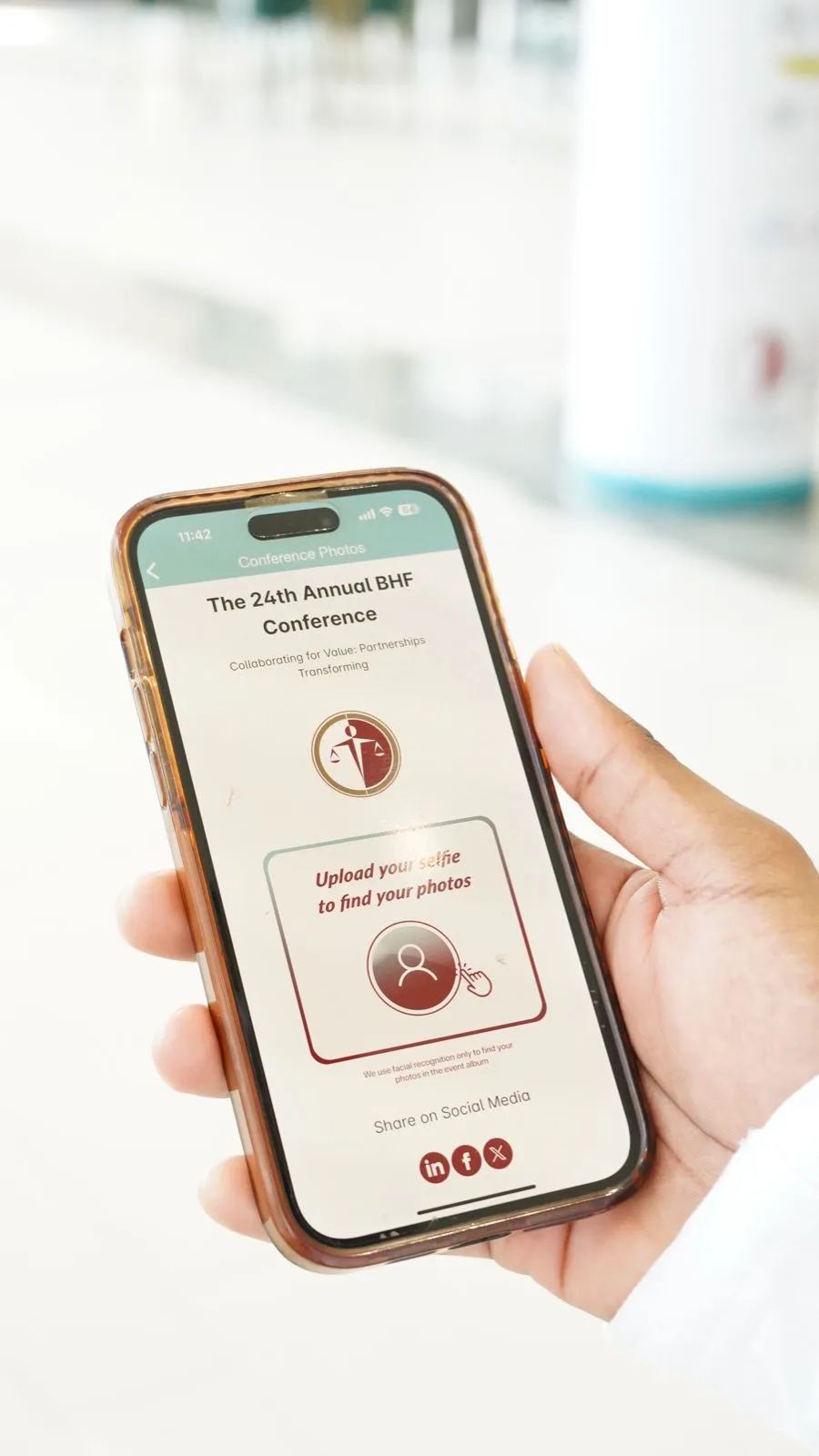
Attendee opening the photos section of an event app, showing the branded selfie-upload screen
1. Open - the Hub lives inside the event app or behind a simple link. No download, no login.
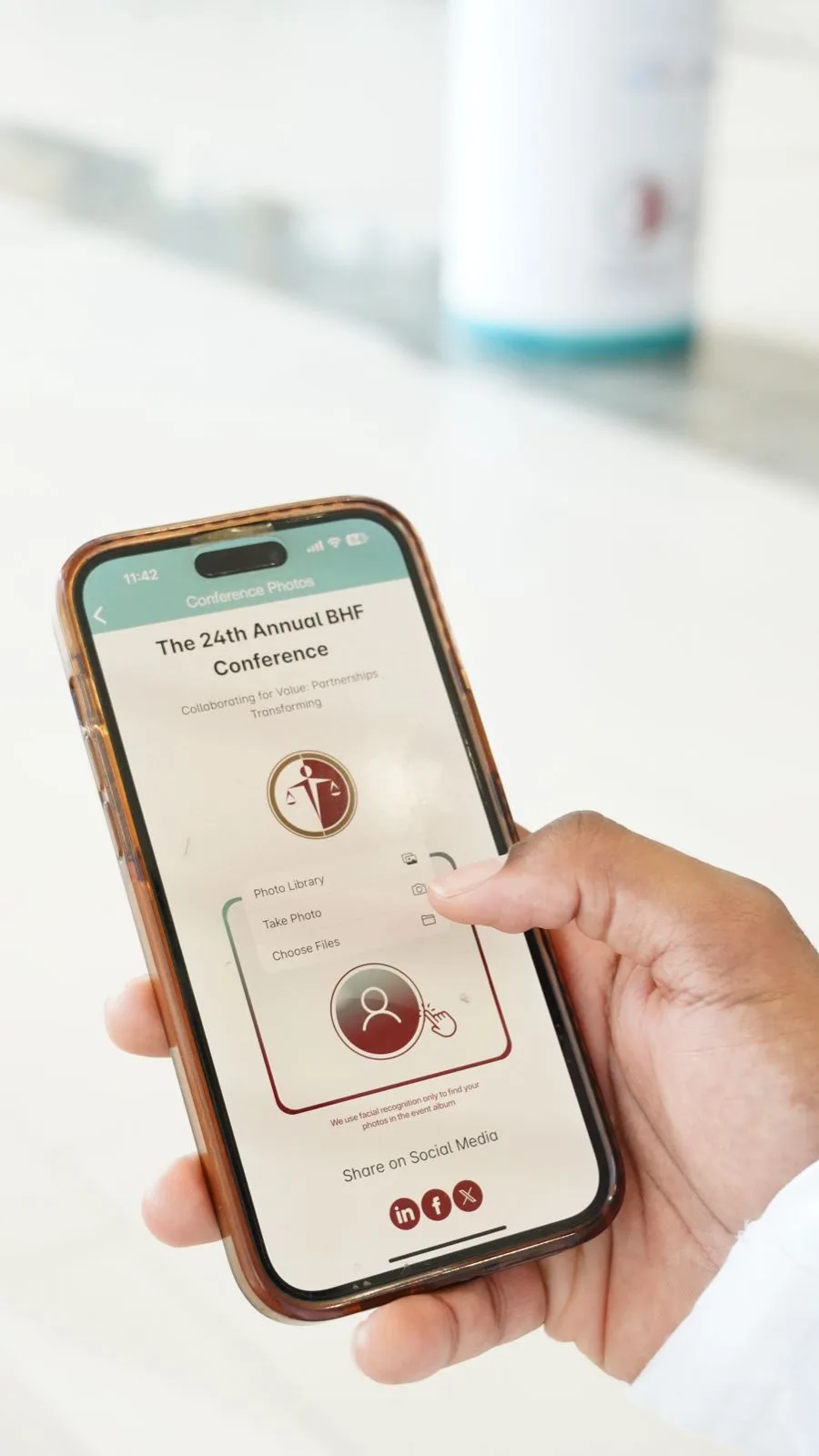
Selfie upload options in the event app - photo library, take photo, or choose files
2. Choose - one tap offers the camera or an existing photo from the library.
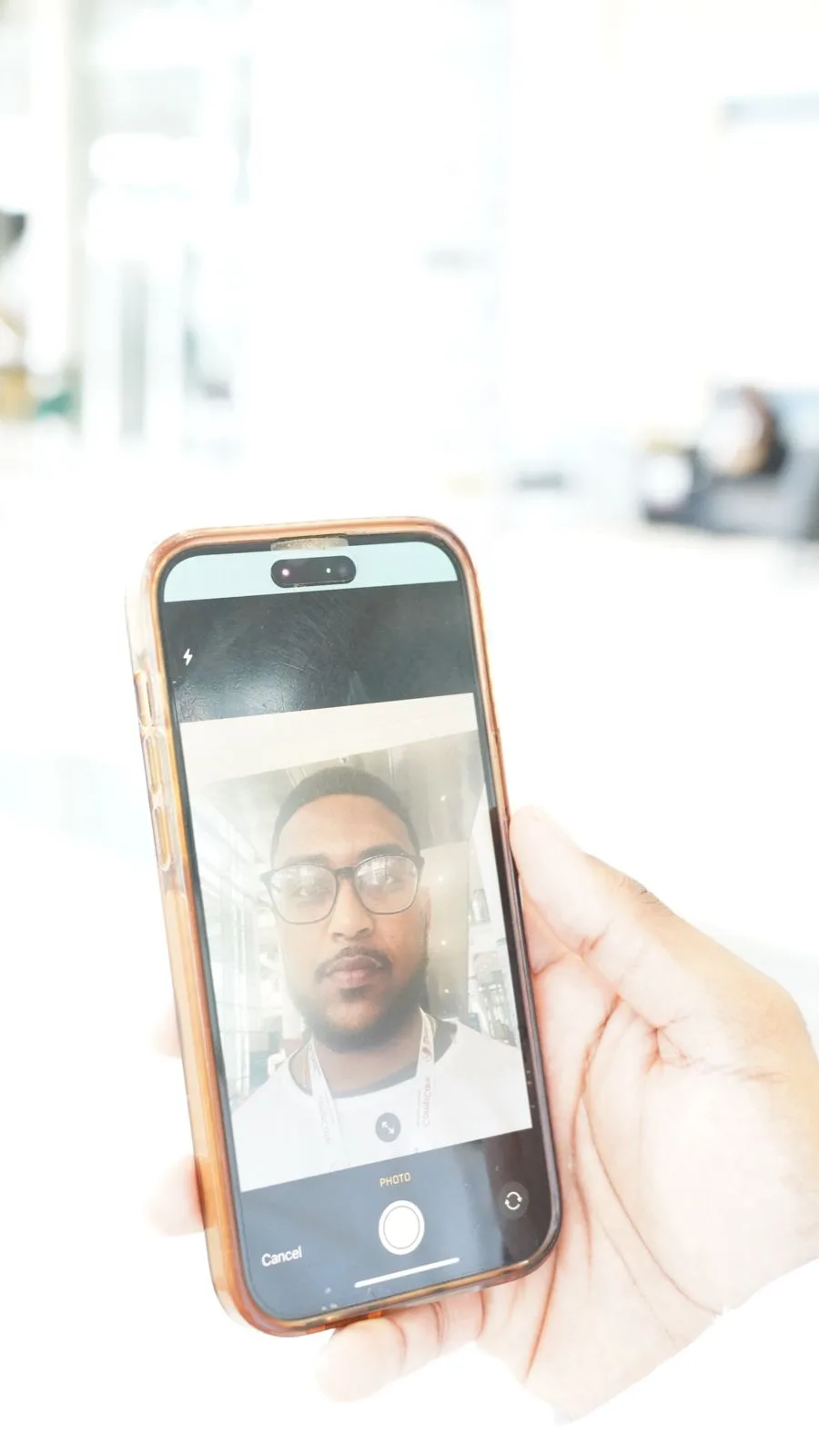
Attendee taking a selfie with the phone camera inside the event app flow
3. Snap - a quick selfie, taken right there at the venue.
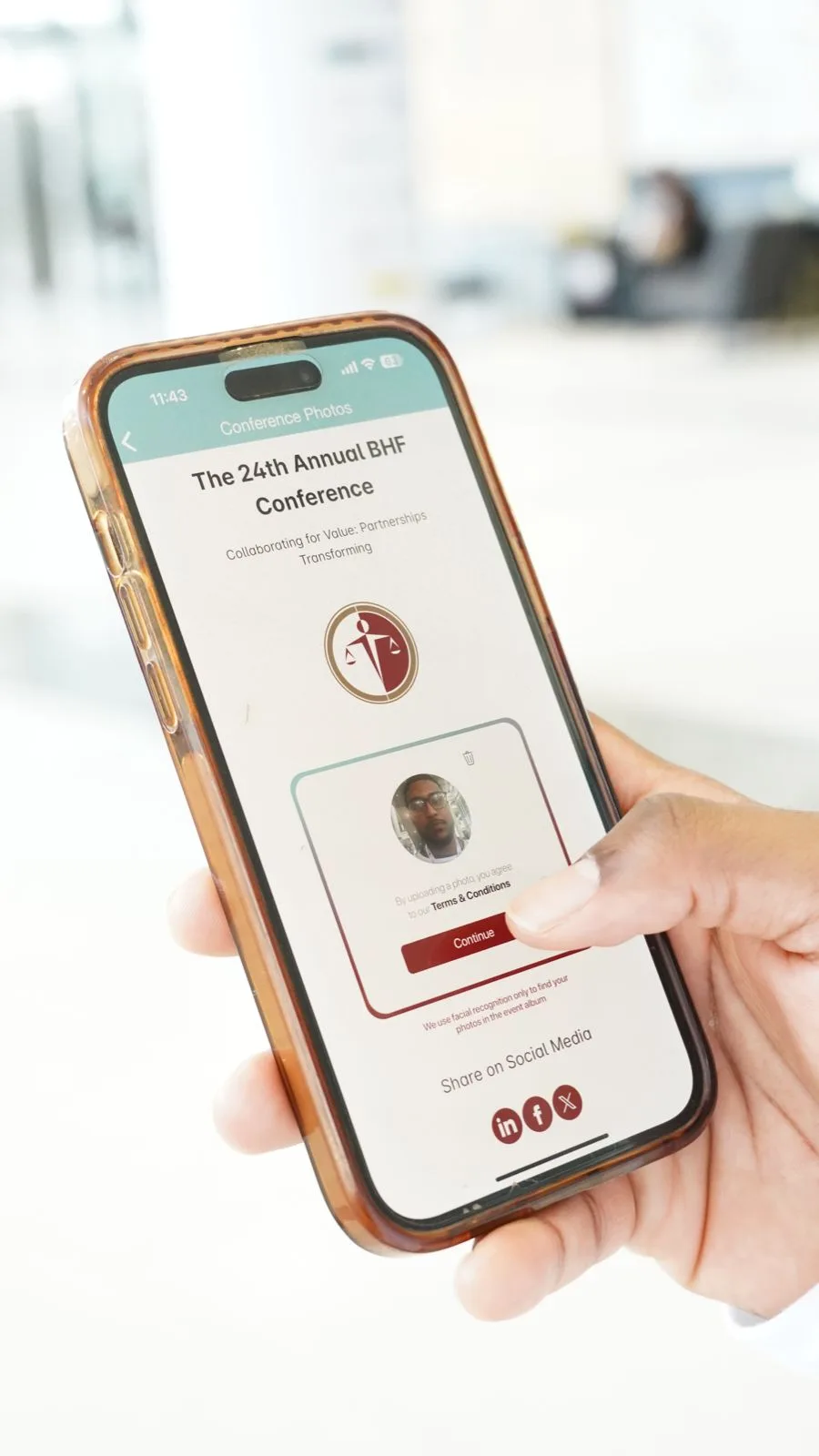
Confirming the uploaded selfie before facial recognition finds the attendee's photos
4. Confirm - one tap, and facial recognition searches every photo from the event.
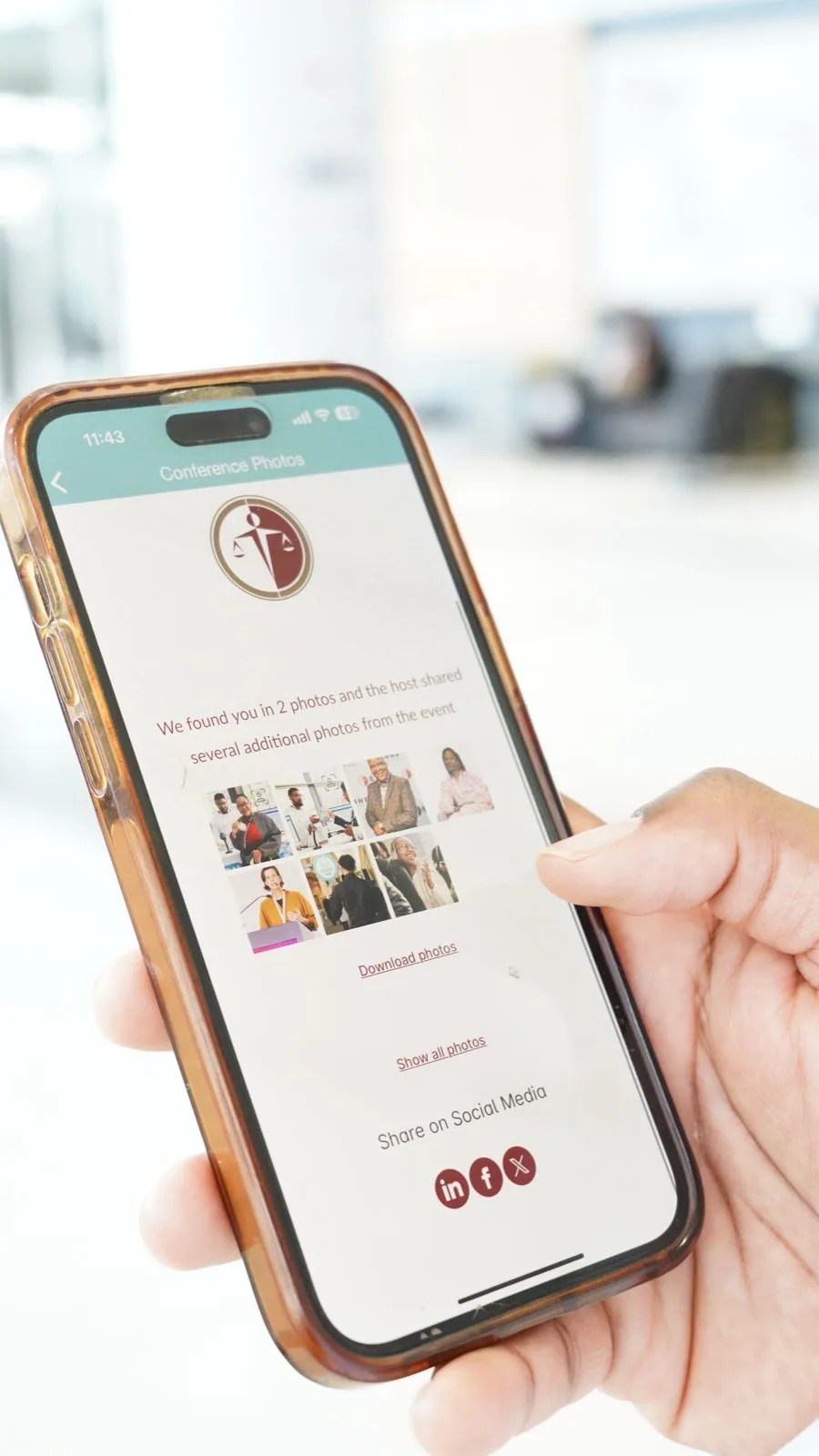
The Hub showing the attendee's personal photos found from their selfie, with download and share options
5. Found - seconds later, their own moments plus highlights shared by the host.
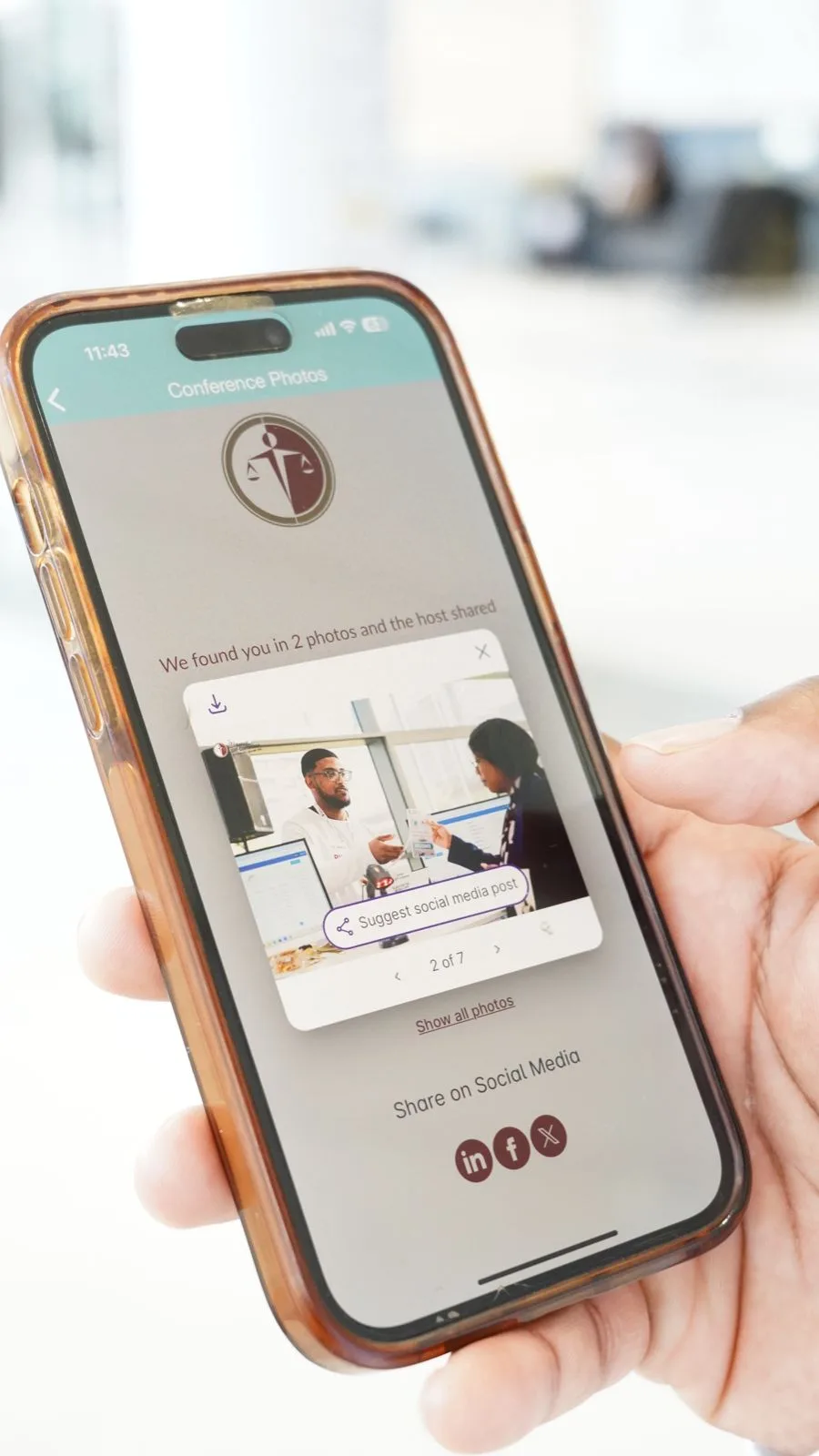
Attendee scrolling their personal album in the Hub, with download and suggested social post options
6. Keep - browse, download and share, with a suggested social post ready per photo.

At BHF, this flow produced 6.7× return visits per guest and 2,180 photo downloads from 1,409 conference photos.

Read the full BHF story →
Your command center

Launch in minutes. Prove it in numbers.

Your team sets it up once, from one dashboard. No new workflow, no developer required.

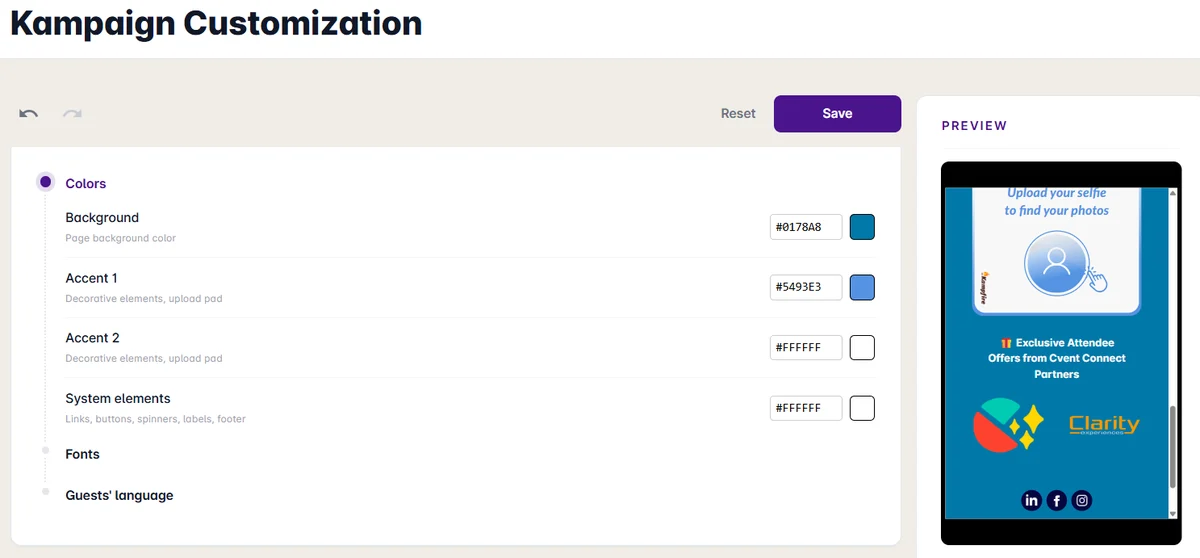
The Kampaign Customization screen: background and accent color controls beside a live phone preview of the branded attendee hub 01

Brand it

Your logo, colors, and voice on every screen. Start from a template or let our studio match your event's look.
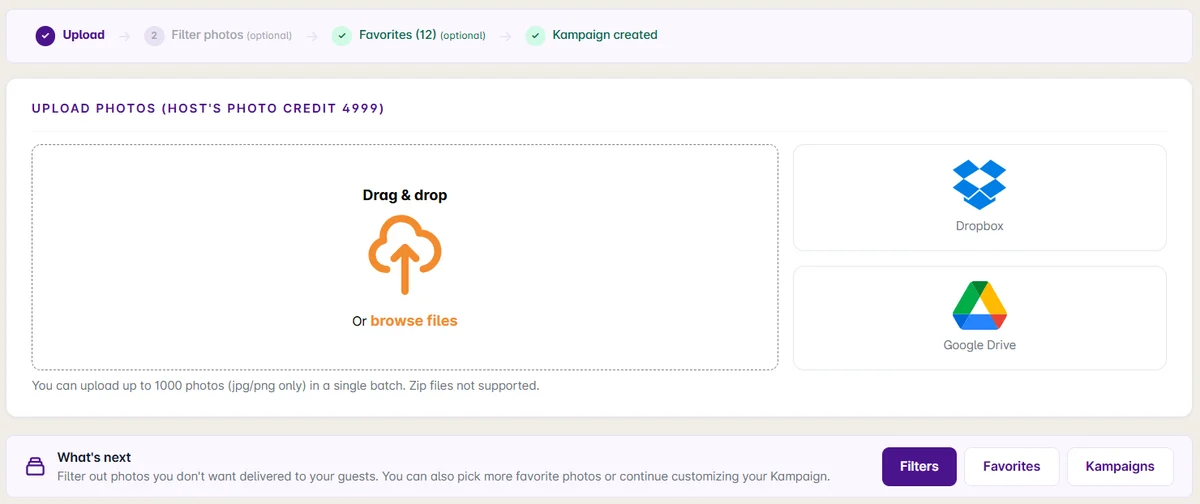
The Upload Photos screen with drag-and-drop plus Dropbox and Google Drive import, and the Kampaign creation steps completed above 02

Load the photos

Import the photographer's gallery or auto-import as they shoot. Kampfire matches every face and builds each personal album.

03

Attach engagement elements

Surveys, CTAs, sponsor overlays, and social prompts, placed at the moment attendees are most engaged.
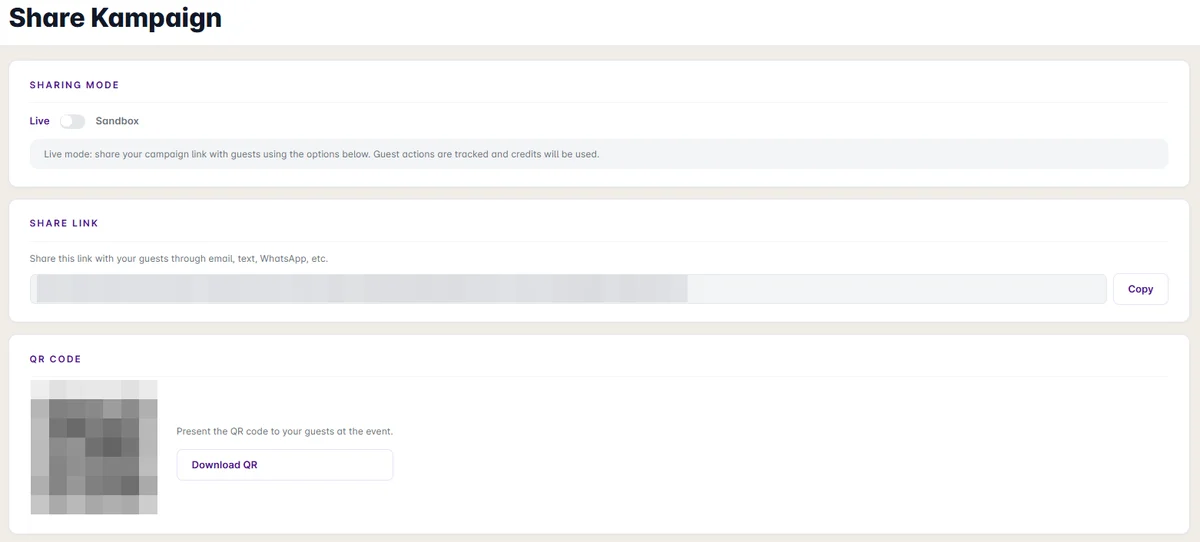
The Share Kampaign screen with live and sandbox modes, a shareable guest link, and a downloadable QR code 04

Go live

Share one link by email, QR, or inside your event app. Most teams launch their first event in under an hour.

The report you've never had

Every Kampaign ships with a live stats dashboard. These are real screens from a real event.

  • Reach, engagement, and amplification rates per Kampaign
  • Photo previews, downloads, shares, and social boosts
  • Unique guests and personal moments delivered
  • Every number is a named, CRM-routable signal
Kampaign Stats summary showing 1,418 views, 990 unique guests, and 73,125 personal moments delivered
The Kampaign summary: total views, unique guests, and personal moments delivered.
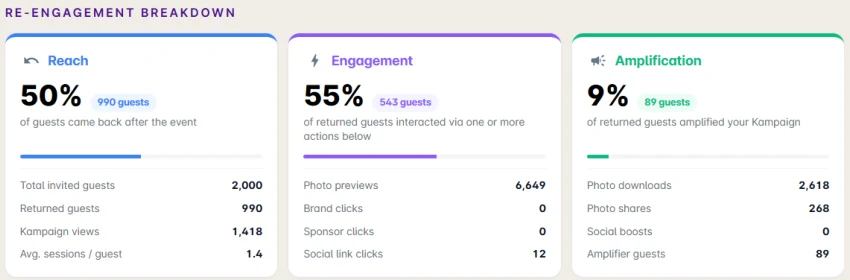
The re-engagement breakdown from the Kampaign Stats dashboard: 50% reach, 55% engagement, and 9% amplification, with per-metric tables
The re-engagement breakdown: how many guests came back, interacted, and amplified your event.
Works where your events live

Drop it into your event app. No code.

Kampfire works with any event app, including Cvent, Swoogo, Stova, and Bizzabo. Here it is in Cvent, where Kampfire is listed on the App Marketplace: add the Hub as a section in Attendee Hub and on your event website - attendees find their photos where they already are.
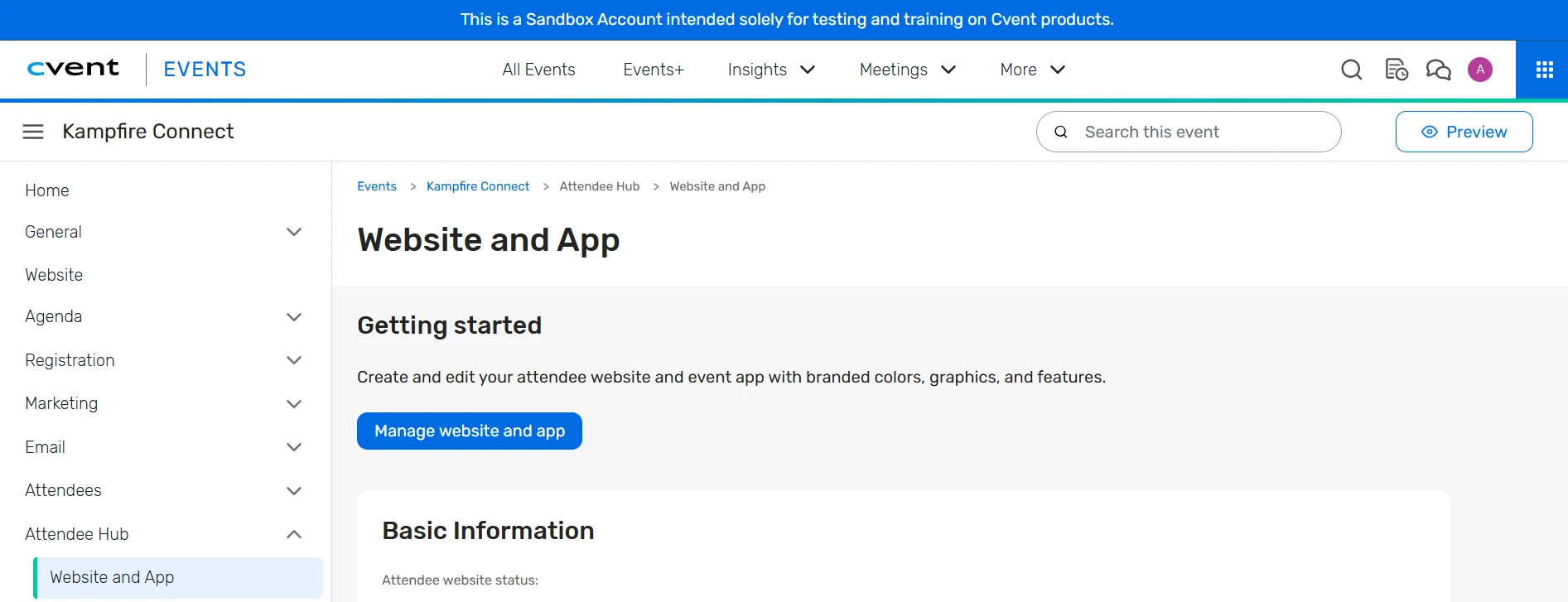
The Cvent Attendee Hub configuration screen where the Kampfire section is added to the event website and app
Add Kampfire as a section in Cvent Attendee Hub - it appears on the event website and in the mobile app.
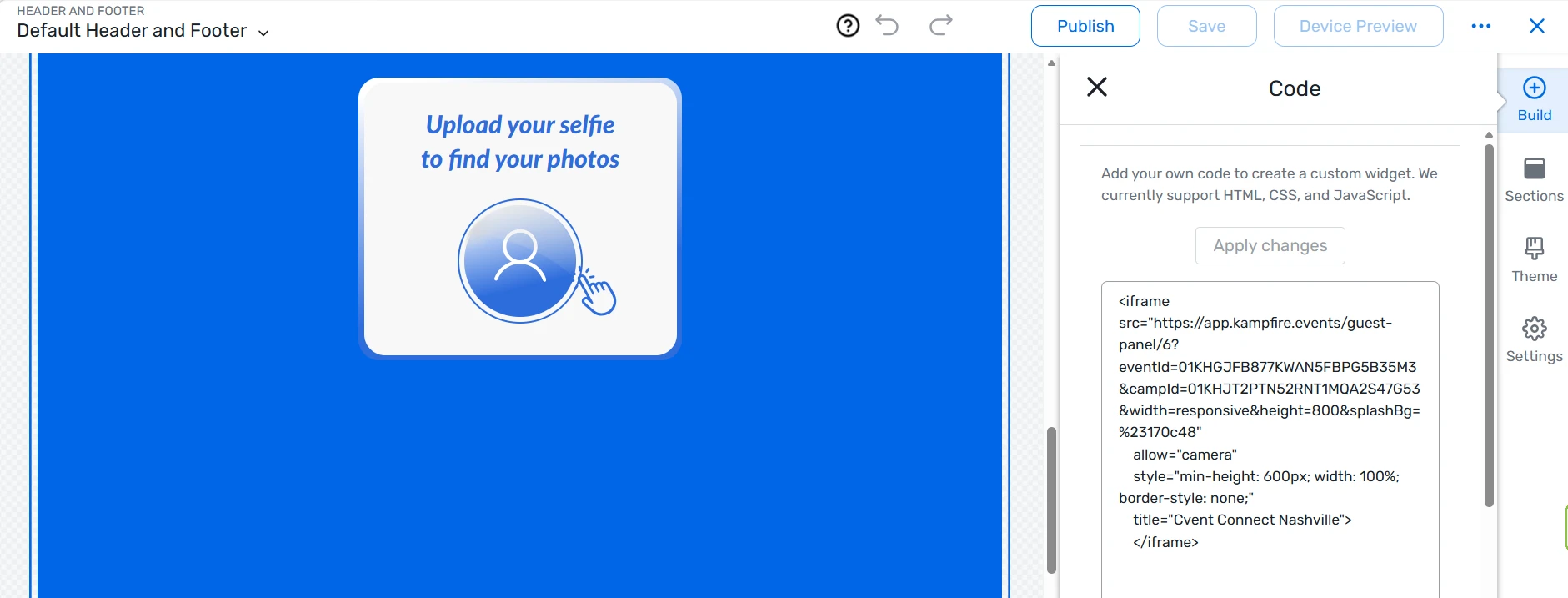
The Cvent site designer with the Kampfire embed code pasted in and the selfie-upload widget visible in the preview
Or paste one embed snippet into the Cvent site designer - the Hub renders right on your event page.

No event app at all? The same Hub ships as a link, QR code, or embed for any registration tool - and signals route natively to Salesforce, HubSpot, Marketo, and Dynamics 365.

What Kampfire ships with

Everything else in the box.

On-brand, on-message, on-record.

CRM

Native CRM integrations

Salesforce, HubSpot, Marketo, and Dynamics 365. Every signal lands in your CRM with timestamps and event attribution.

Spotlight

The best moment, delivered

Kampfire Spotlight selects each attendee's most memorable photo and sends it as the event ends - a thank-you attendees actually open.

Privacy

Consent-managed

Explicit consent at capture, retention controls, secure sharing tokens, GDPR/CCPA/BIPA compliant.

Capture

Photographer + UGC

Bring in the official event photographer's work, sponsor overlays, and moderated user-generated content into one personalized hub.

AI matching

Faces, moments, intent

Kampfire AI matches each attendee with the moments they were in, captions them, and surfaces the ones most likely to drive a re-share.

FAQ

How Kampfire works - common questions

What buyers ask about integrations, privacy, and getting live.

How does Kampfire integrate with my CRM?
Kampfire pushes every attendee interaction - hub visits, photo views, shares, survey responses, and CTA clicks - into Salesforce, HubSpot, Marketo, or Dynamics 365 as timestamped, event-attributed signals. Your reps act on real intent without leaving the CRM they already use.
Do attendees need to download an app or create an account?
No. An attendee opens a link and a single selfie returns their personalized album - no app, no login, no password. Removing that friction is what drives 40–50% re-engagement versus a standard follow-up.
How does Kampfire match attendees to their photos?
Kampfire AI matches each attendee to the moments they appear in from a single selfie, captions them, and surfaces the shots most likely to be re-shared. Matching is consent-managed, with retention controls and handling aligned to GDPR, CCPA, and BIPA.
What event tools does Kampfire work with?
Kampfire works with any event app, including Cvent, Swoogo, Stova, and Bizzabo, and embeds directly into the event page and mobile app. It also works with registration tools, lead-capture apps, and badge scanners - plus Slack and WhatsApp for delivery. It fits your existing stack rather than replacing it.
How long does it take to launch?
Most teams launch their first event in under an hour after an in-person demo, using a template or our studio. There is no new workflow for your team to learn.

See it on your next event.

Book a 15-minute walkthrough on a real Kampfire activation.