
Event organizers using Cvent can now surface their Kampfire photo experience right where attendees already spend time - inside the Cvent Attendee Hub and directly on the event website.
Your event photos are one of the most powerful engagement tools you have. They’re personal, they’re memorable, and when delivered at the right moment, they bring attendees back into your funnel.
The challenge has always been getting those photos in front of people before the moment passes.
That’s why we’ve been focused on meeting attendees where they already are - not asking them to go somewhere new. For the many event organizers running their events on Cvent, that means bringing Kampfire directly into the Cvent experience.
Kampfire now integrates with Cvent in two distinct ways.
Kampfire in the Cvent Attendee Hub
The Cvent Attendee Hub - mobile and web - is where your attendees already spend time before, during, and after your event: checking the agenda, connecting with other attendees, navigating the experience. It’s prime real estate for Kampfire.
With this integration, you can add a dedicated Kampfire section directly to your Attendee Hub in just five steps: add a Text, Image, Button section, configure it with your Kampfire hub link, and your attendees have one-tap access to their personalized photo gallery from the app they’re already using.
No extra links to email out. No hoping they remember to visit a separate site. It’s right there.
Full step-by-step guide: add Kampfire to the Attendee Hub
Kampfire embedded in your Cvent event website
For organizers who use Cvent’s event website as the primary attendee touchpoint, Kampfire also supports direct iframe embedding via Cvent’s Site Designer.
This means Kampfire can live as a native part of your event website - not a link that takes attendees away, but the actual experience, embedded on the event page. Attendees upload a selfie, see their personal gallery, and stay on your event property the whole time.
Setup takes four steps and requires no technical knowledge: open Site Designer, drag in a Code element, paste your Kampfire embed code, and save.
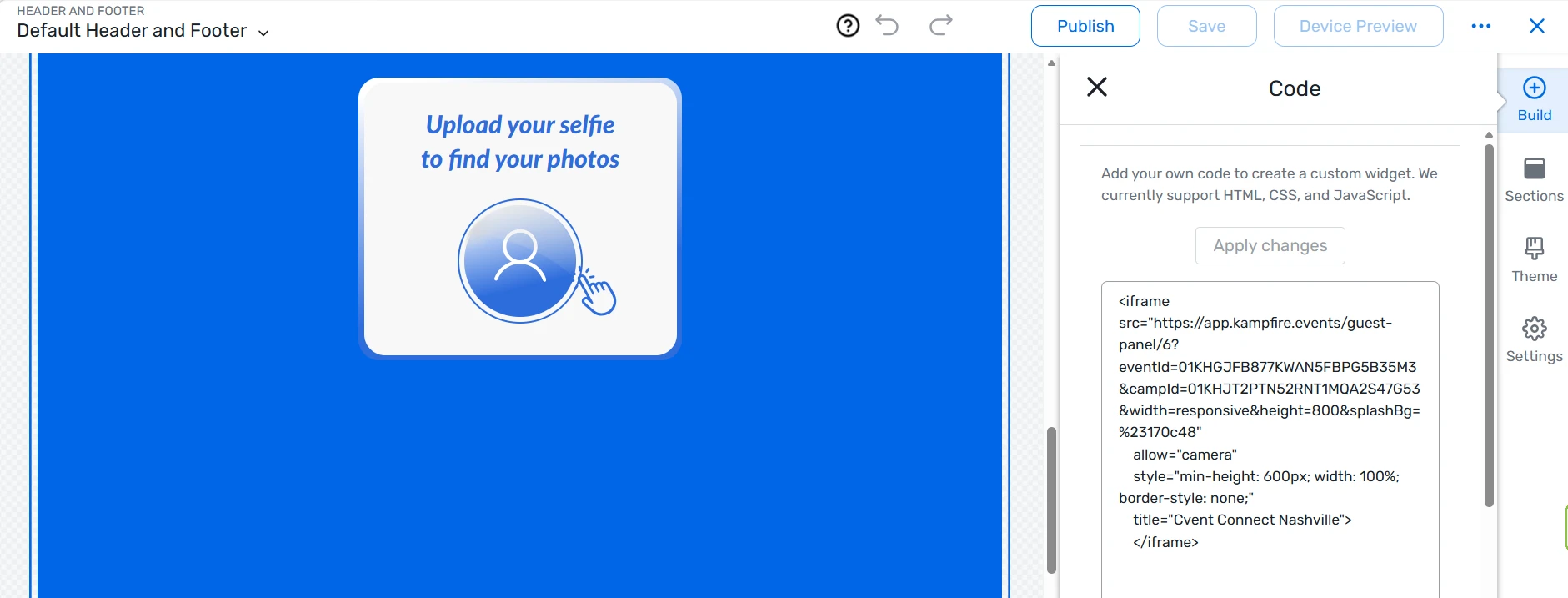
Embedding a custom widget using the Kampfire iframe in the Cvent software, allowing attendees to upload a selfie and instantly find their event photos.
Full step-by-step guide: embed Kampfire in your event website
Why this matters
Event engagement doesn’t end when the last session wraps. The hours and days after your event are when the most valuable follow-up happens - and photos are the trigger that brings people back. On average, Kampfire activations re-engage 40-50% of attendees after the event ends.
By embedding Kampfire inside Cvent, you remove every point of friction between your attendees and their event memories. And when an attendee finds their photo, downloads it, and shares it, that’s a touchpoint your marketing team actually owns.
If you’re already on Cvent, you can have either integration live in under ten minutes.
Already using Kampfire with Cvent? We’d love to hear how it’s going. Not yet a Kampfire customer? Book a demo and we’ll show you what the full post-event engagement flow looks like - from photo capture to personalized delivery to measurable re-engagement.